Built for Firefox
Firefox URL shortener add-on
ShortURL.FM for Firefox gives you a direct way to shorten links while browsing, with a toolbar popup and a context-menu action.
- Shorten the current Firefox tab from the add-on popup.
- Right-click links on the page to create a short URL quickly.
- Use ShortURL.FM features such as recent links, QR codes, and analytics.

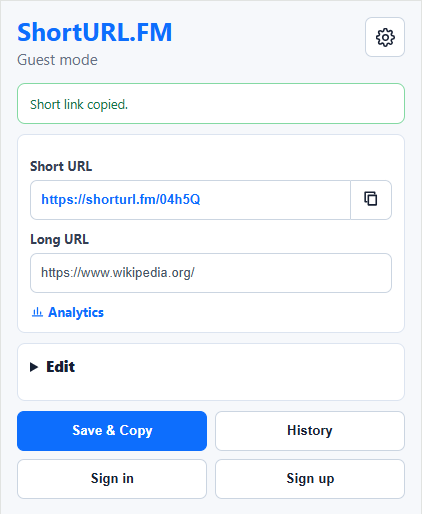
Step 1
Pin the Firefox add-on for quick access
Keep ShortURL.FM in the Firefox toolbar so you can shorten the current tab as soon as a long URL is worth saving or sharing.
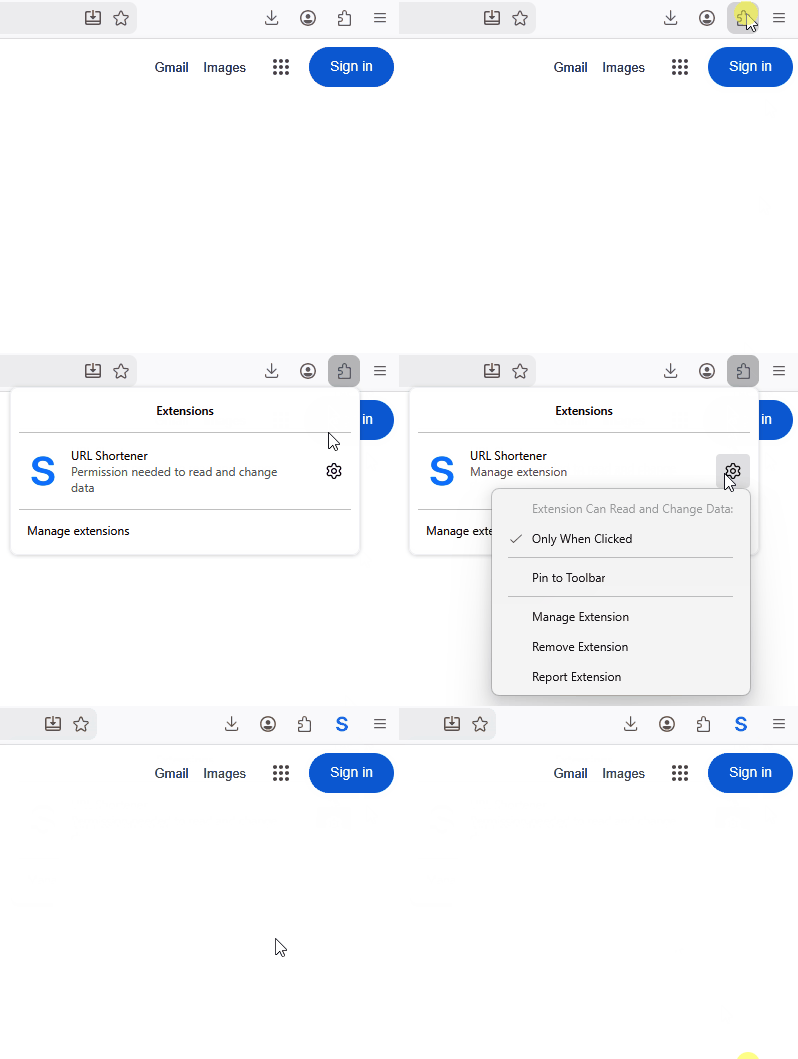
Step 2
Use the Firefox context menu for link shortening
Right-click a link inside Firefox and use the ShortURL.FM action to create a short URL without opening the destination first.

Short links that fit your Firefox workflow
The Firefox add-on is useful for sharing research, documentation, product pages, and articles. It keeps the link-shortening step close to the page and connected to your ShortURL.FM tools.