Built for Microsoft Edge
Microsoft Edge URL shortener add-on
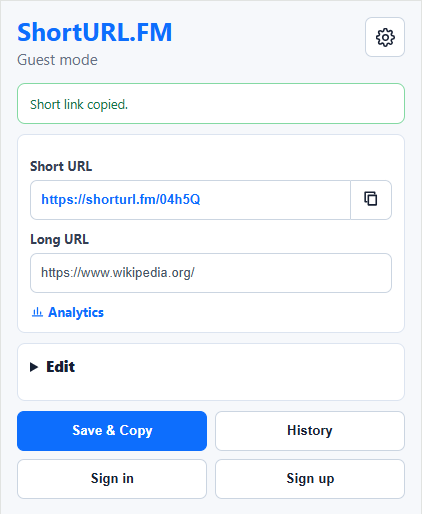
ShortURL.FM for Microsoft Edge brings quick link shortening into the browser you use for work, research, and daily sharing.
- Shorten the active Edge tab from a compact browser popup.
- Use the context menu to shorten links before sharing them.
- Connect created links with ShortURL.FM analytics and link history.

Step 1
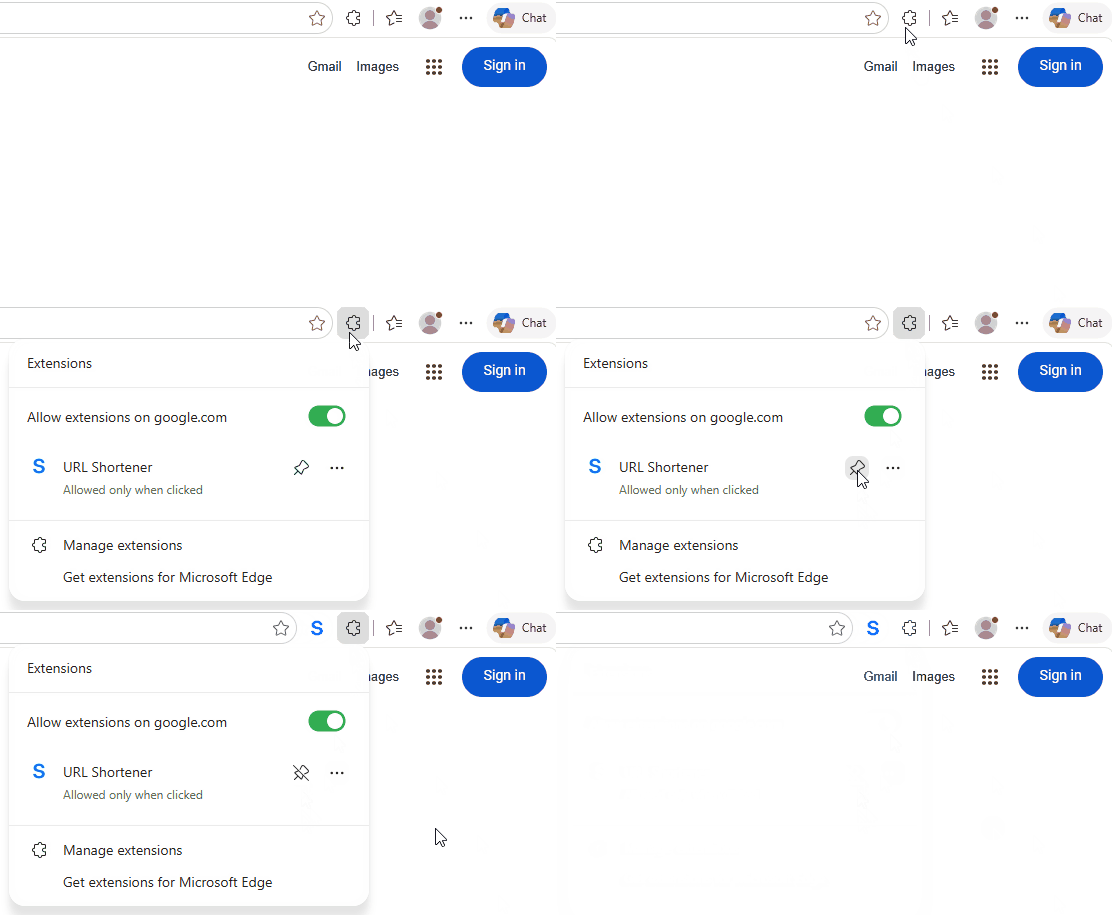
Keep the Edge add-on visible
Pin ShortURL.FM in Microsoft Edge so the add-on is ready when you need to shorten a long page title, product URL, support article, or document link.
Step 2
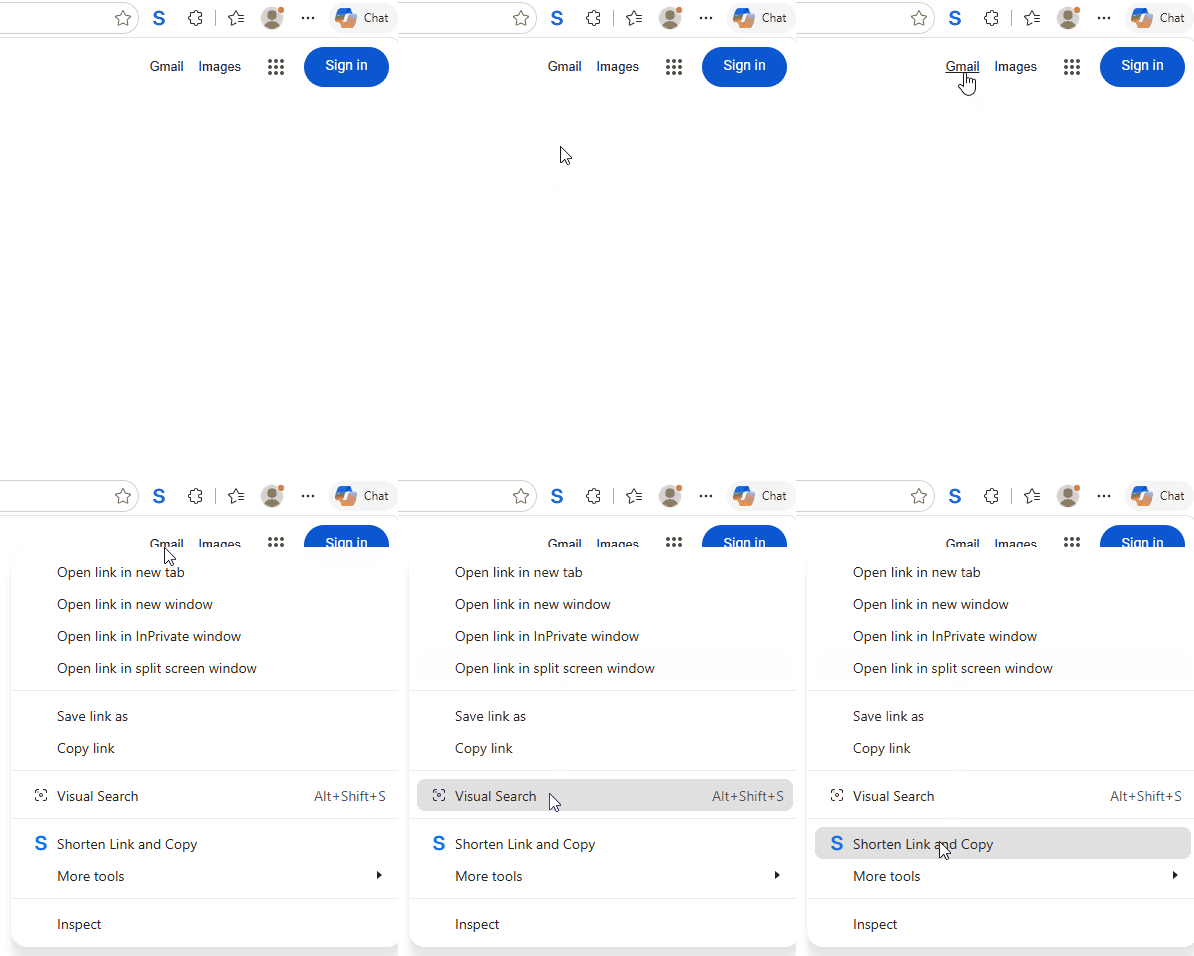
Create short links from the Edge right-click menu
Use the context menu when the link you want is already on the page. ShortURL.FM creates the short URL and keeps the workflow inside Edge.
A practical link tool for Edge users
The Edge add-on is designed for people who share links throughout the day: support teams, marketers, students, editors, and anyone who wants shorter URLs with less copying and pasting.