Built for Chrome
Chrome URL shortener extension
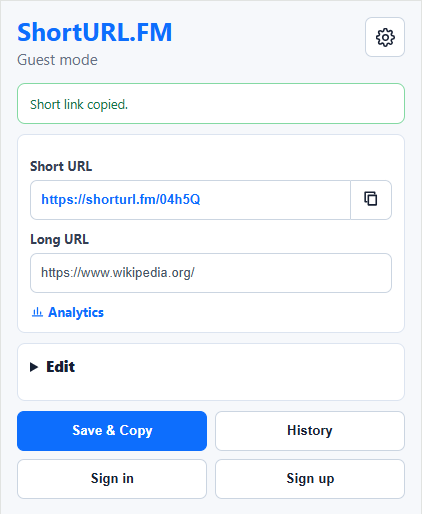
ShortURL.FM for Chrome helps you turn long pages and selected links into clean short URLs without opening a separate tab.
- Shorten the page open in your active Chrome tab.
- Create a short URL from the right-click menu on any link.
- Copy, revisit, and manage recent short links from ShortURL.FM.
Step 1
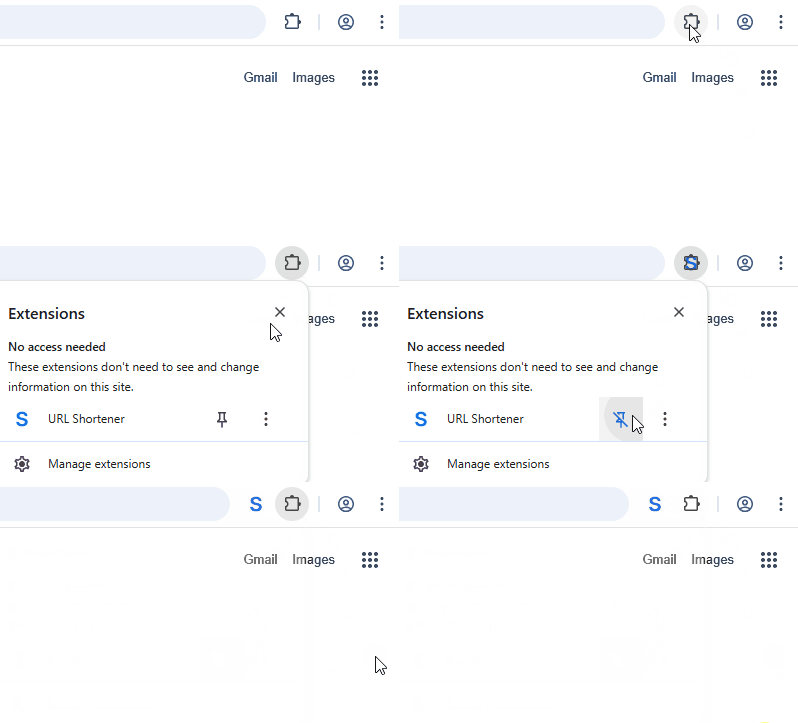
Pin ShortURL.FM to the Chrome toolbar
After installation, pin the extension so the ShortURL.FM button stays visible next to the address bar. That makes shortening the current page a one-click habit.
Step 2
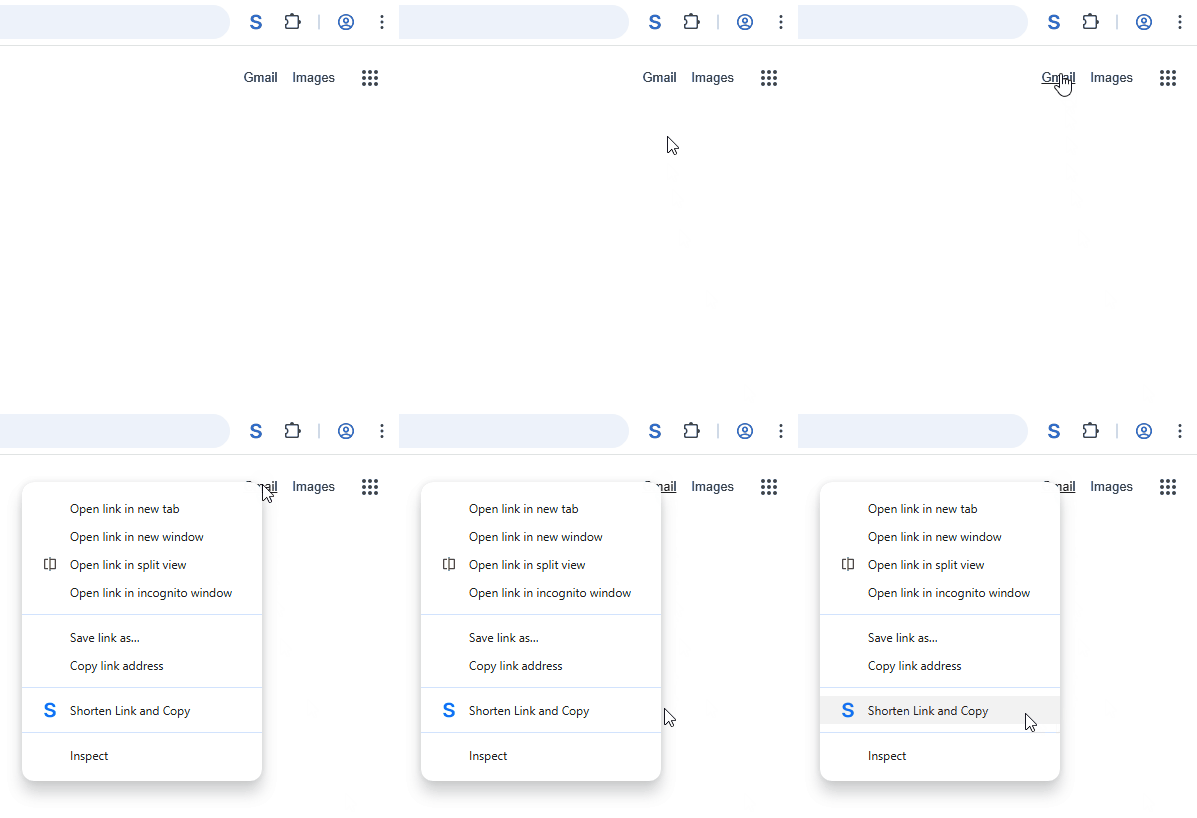
Shorten links from the Chrome context menu
When you find a link inside an article, document, dashboard, or email, right-click it and choose the ShortURL.FM action to create and copy a short URL.
Made for everyday Chrome sharing
Use the extension when you need a compact link for chat, email, social posts, documentation, or internal notes. Signed-in users can keep their links connected to the dashboard for analytics and follow-up.