Google Chrome
Shorten the current Chrome tab, right-click a link to copy a short URL, and keep recent links within reach while you browse.
ShortURL.FM browser extensions keep link shortening close to the page you are reading. Create a short URL for the current tab, use the context menu on any link, and come back to your recent links when you need them.
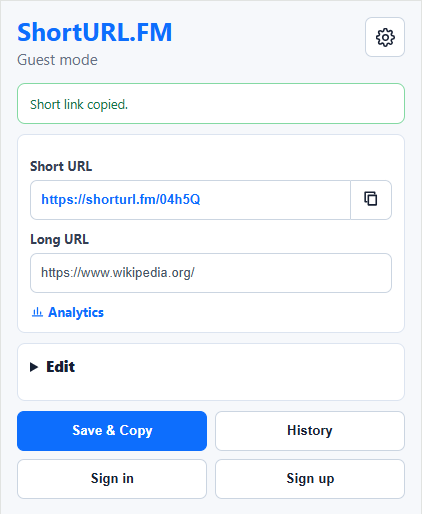
Each extension is designed for the way its browser works, while keeping the same ShortURL.FM essentials: quick short links, a clean copy flow, recent links, and dashboard access for signed-in users.
Shorten the current Chrome tab, right-click a link to copy a short URL, and keep recent links within reach while you browse.

Create short URLs from Edge without leaving the page, then copy and manage links through your ShortURL.FM account.

Shorten Firefox tabs, create short links from page URLs, and keep your recent ShortURL.FM links close while you work.

Use Opera to shorten the current page, create short links from right-click actions, and return to recent links when you need them.
A browser extension removes the extra copy-and-paste step. You can shorten the page you are viewing, turn links on a page into short URLs, and keep your shared links connected to ShortURL.FM features such as QR codes and analytics.